CV Creator » CV advice »
Personal details on a CV: what to include
Your personal details are your CV header. Their only job is to make it effortless for an employer to contact you and quickly verify your professional profile.
Personal details checklist (UK)
Include (always)
- Full name (clear, easy to read)
- Phone number (with international code when relevant)
- Professional email address
- Location (city / region — not your full address)
- LinkedIn / portfolio link (only if it strengthens your application)
Optional (only if relevant to the role)
- Right to work (e.g., “Right to work in the UK” / visa status)
- Relocation note (e.g., “Open to relocation”)
- Driving licence (only if driving/travel is part of the job)
Where to put personal details on your CV
Put your personal details at the top of page 1, in a compact header. Recruiters shouldn’t have to search for your contact information.
- Keep it to 1–2 lines if possible.
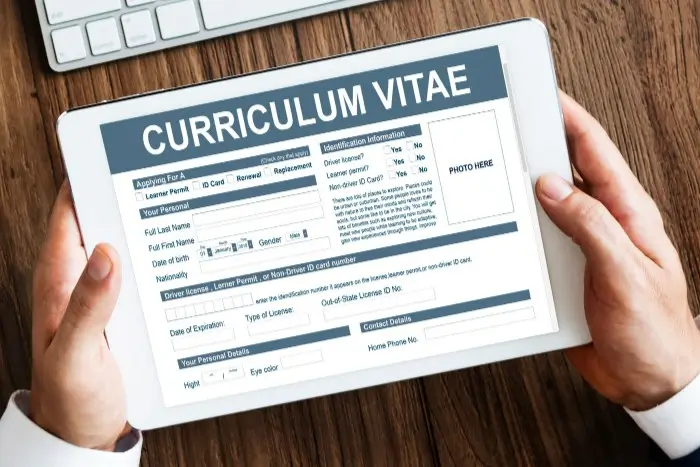
- Don’t write “CV” or “Curriculum Vitae” at the top — it wastes space.
- If your CV has a second page, don’t repeat the full header again.
What personal details to include (with practical tips)
Your name
Make your name the most visible item in the header.
- Use the same name you use on applications/LinkedIn (avoid confusion).
- If you have multiple middle names, you can keep it to first name + last name.
- Optional: add a professional title under your name (e.g., “Customer Success Manager”).
Your location (UK: keep it minimal)
In the UK, it’s usually enough to list your city (and country if applying internationally).
- Good: “Manchester, UK” / “London, UK”
- Optional: “Open to relocation” or “Remote / Hybrid” if it matches the role.
- Avoid full street address unless an employer specifically asks for it.
Your phone number
Use a number that works reliably and looks professional.
- If applying internationally, include the country code (e.g., +44).
- Check your voicemail greeting (yes, it matters).
- Avoid multiple numbers unless you truly need them.
Your email address
Your email should be simple, professional, and easy to type.
- Use a clean format (e.g., firstname.lastname@…)
- Avoid old/jokey addresses or anything that looks temporary.
Links (LinkedIn, portfolio, GitHub, Behance…)
Include links only when they add proof: projects, work samples, published work, case studies, code, or a strong LinkedIn presence.
- Keep to 1–3 links max.
- Use clean URLs (custom LinkedIn URL if possible).
- Test every link before you send your CV.
- Optional: a small QR code can help in print — but don’t rely on it as the only way to access the link.
What NOT to include in your personal details (UK)
These details don’t help recruiters assess your fit — and they can distract from your skills.
- Photo (generally not recommended on UK CVs)
- Date of birth / age
- Marital status (or “single / married”)
- Nationality (unless you need to clarify right-to-work)
- Gender, religion, health details
- Full home address (unless requested)
- Personal social media (only include professional accounts relevant to the job)
Address on a CV (UK): should you add it?
Most UK CVs don’t need a full postal address. In most cases, city is enough. Add more detail only when it clearly helps (for example, very location-dependent roles, or when an employer asks).
- Best default: City + country (if needed).
- Optional: postcode area (very short) if it genuinely supports location-based filtering.
- Skip: house number, street name, full postcode (unless requested).
CV header examples (copy these formats)
Use these plug-and-play CV headers to format your personal details in a clean, UK-friendly way. Pick the version that matches your situation, then swap in your own information.
Example 1: UK-based candidate
This is the best all-purpose CV header for most applications in the UK: clean, compact, and instantly usable for recruiters. It includes only the essentials, plus one strong professional link.
First Last
London, UK · +44 7700 900123 · first.last@email.com · linkedin.com/in/yourname
Example 2: Graduate / early-career (with portfolio)
If you have limited experience, your portfolio (or project website) can act as proof of skills. This format keeps the header simple while making your work samples easy to access.
First Last
Manchester, UK · +44 7700 900123 · first.last@email.com · Portfolio: yourname.co.uk
Example 3: International applicant (right to work included)
Use this format when you’re applying from abroad or when your eligibility to work could be unclear. The “Right to work” line removes doubt early and helps recruiters move forward faster.
First Last
Paris, France · +33 6 00 00 00 00 · first.last@email.com · Right to work in the UK · linkedin.com/in/yourname
Common mistakes (that cost interviews)
- Burying contact details (recruiters shouldn’t scroll to find them).
- Using a casual email address that weakens first impressions.
- Listing full address by default (adds clutter, rarely adds value).
- Linking to irrelevant social accounts (keep it strictly professional).
- Broken links (LinkedIn/portfolio not accessible).
Final checklist before you send
Do a 30-second check — it prevents avoidable rejections.
- Name is clear and matches your application/LinkedIn.
- Phone number includes the right country code (when needed).
- Email looks professional and is typo-free.
- Location is minimal (city is enough).
- Every link works on mobile.
- No unnecessary personal information (photo, DOB, marital status).
FAQ: personal details on a CV
What personal details should I put on a UK CV?
Should I include my full address on a CV?
Should I put a photo on my CV in the UK?
Do I need to include my date of birth or age?
Should I include nationality or visa status?
Should I add LinkedIn to my CV?

Ready to create a professional CV in minutes?
Choose a template, add your details, and download a clean CV that recruiters can contact instantly.
Create your CV